Problem with mailmate running for a period of time causes an unavailable status.

-
 Patrick
also just telneting to port 993 of imap.gmail.com brings up a correct response so the path is reachable.
-
benny
Could you hold down ⌥ when clicking “Check Now” in the Software Update preferences pane to fetch the latest test version (r3962). It outputs a little bit more in the errors you describe. I would like to see that.
-
Patrick
unfortunately I did update and had the same problem and it gave me the same outputs.
is there a log file anywhere that I can enable or view the contents of?
I thought I left the activity viewer open to get the results but it was not to be found.
there is a C7 logout that just says
S: <<< terminated reading >>>D79 logout
Clearing connection to imap.gmail.com Clearing connection to imap.gmail.com Trying to connect to imap.gmail.com on port 993 Error: Error while waiting on read or write. Error: Failed while trying to connect to “imap.gmail.com”. Clearing connection to imap.gmail.com Trying to connect to imap.gmail.com on port 143 Error: Error while waiting on read or write. Error: Failed while trying to connect to “imap.gmail.com”. -
Patrick
also, I do not sleep my mac, so this is unrelated to any sleep/wake cycles
-
Patrick
this is the only relevant entry in the console
-
benny
The output above does not include what I added for r3962. Are you sure you were running this version of MailMate:
This:
Error: Error while waiting on read or write.Should have been something like:
Error: Error while waiting on read or write (<some system error message>).You can use the About window in MailMate to see the revision of MailMate you are running.
Thanks in advance.
-
Patrick
You were correct that I wasn't running the latest... I had done the option+update thing not too long before submitting the issue but I guess something didn't work or you issued a new release.
so onto the "new" bug... now it does not say offline; it just has the activity indicator spinning and no new emails being downloaded.
Pressing synchronize does nothing in the activity viewer.
Taking the account offline and then pressing synchronize shows up as "trying to terminate connection..." in the activity viewer. Nothing happens after that for at least 5 min.
taking all accounts offline and then taking just one online does nothing. synchronize has no effect.
Version 1.7.2 (3962)
-
benny
It never works now or is this the behavior you see after a while?
Could you restart MailMate, open the Activity Viewer as quickly as possible and then provide the log of one of these hanging connections?
-
Patrick
It works after a restart. doesn't work after a long time running.(well, anywhere from 1hour to 8hours)
I actually left it on overnight and they all went to the unavailable status. this is the activity log that I get now when I try to synchronize:
Clearing connection to imap.gmail.com
Clearing connection to imap.gmail.com
Trying to connect to imap.gmail.com on port 993
Error: Unknown error while waiting on read or write.
Error: Failed while trying to connect to “imap.gmail.com”.
Clearing connection to imap.gmail.com
Trying to connect to imap.gmail.com on port 143
Error: Unknown error while waiting on read or write.
Error: Failed while trying to connect to “imap.gmail.com”.
I am running OS X 10.9 build 13A603
Attached is a connection log like you asked for. Edit: but it works for a while before after restarting so I am not sure how helpful this will be.
-
 connectionlog.txt
17.9 KB
connectionlog.txt
17.9 KB
-
-
benny
Yes, it was the log when it failed to work I was interested in.
I'm going to ask you to fetch another test version (r3990). I'd like to see output like what you provided above when it fails again. There is a small addition of an error number which I had forgotten to output in the previous test version.
I also did some other changes and there is a small chance that one of these changes fixed the problem.
-
Maciej
Clearing connection to mail.messagingengine.com
Clearing connection to mail.messagingengine.com
Trying to connect to mail.messagingengine.com on port 993
Error: Unknown error while waiting on read or write (-1).
Error: Failed while trying to connect to “mail.messagingengine.com”.
The app is unusable right now since i have to periodically check if it is still connected :(
-
benny
@Maciej: I'm sorry to hear that. I'll do what I can to resolve this. Unfortunately I made (yet another) error in the error output. I've fixed that and you can fetch a new test version (r3994). Please try that and provide the output again when it fails. Thanks in advance!
-
Patrick
So I let it run all night and it eventually errored out as unavailable. The activity logs are attached. I will download the latest version and try it again.
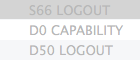
What do the s66 d0 and d50 signify?
edit: this is build 3990
-
benny
Thanks Patrick, I need it from r3994.
IMAP requires each command to be prefixed by a so-called tag (not a MailMate tag). This tag is then used when the server has finished replying to the command such that the email client can match commands with replies. MailMate creates tags based on the type of command used (that's the letter) and a simple increasing integer. It has no other meaning than that.
-
Maciej
Clearing connection to mail.messagingengine.com Trying to connect to mail.messagingengine.com on port 993 Error: Error while waiting on read or write (Invalid argument). Error: Failed while trying to connect to “mail.messagingengine.com”. -
benny
@Maciej: Thanks for your patience. I'm ready for another round with r4001. I've tried outputting a bit more about the “Invalid argument” and I've inserted some more sanity checks. One of them might even crash MailMate, but that'll just mean I'm getting closer to the heart of the problem :-)
@Patrick: If you send me output then it should also be from r4001.
-
Maciej
Clearing connection to mail.messagingengine.com Clearing connection to mail.messagingengine.com Trying to connect to mail.messagingengine.com on port 993 Error: Error while waiting on read or write (Invalid argument). descriptor: 124, break_read_pipe: 116, ndfs: 124, wait_on_read: 0, wait_on_write: 1, timeout: 125829120 Error: Failed while trying to connect to “mail.messagingengine.com” on socket 124. -
Patrick
I have the same error as Maciej...
Clearing connection to imap.gmail.com
Clearing connection to imap.gmail.com
Trying to connect to imap.gmail.com on port 993
Error: Error while waiting on read or write (Invalid argument).
  descriptor: 23, break_read_pipe: 54, ndfs: 54, wait_on_read: 0, wait_on_write: 1, timeout: 125829120

Error: Failed while trying to connect to “imap.gmail.com” on socket 23.
I also have the full logs if that helps, and the lsof output for the process while it's in it's failed state. let me know if you want those.
-
benny
Perfect. The timeout value is completely off. Now I just need to figure out why :-) I'll get back to you, but I'm optimistic that this is a solvable problem.
-
benny
You can download r4005 now. I haven't really tested the fix, but the fix was pretty trivial (that's probably hubris).
Explanation: Every read/write action with a server involves a timeout value in order to detect when a connection has been lost. Some connections/servers are fast and some are slow. MailMate starts out with a small timeout value and if it times out then the next attempt is going to have a larger timeout value. It is actually doubled every time, but it should only happen a few times since it'll then become a permanent error reported to the user. The problem is that MailMate did not reset this timeout value correctly when starting a new action. Given enough time and the occasional timeout error (~20 times) then the timeout value would become so large that it triggered the error reported above. At the same time it could make MailMate hang a long time for a connection before realizing the connection had been lost. Stupid bug. I'm thankful that I had some patient users helping me to track this down.
(Note that some users can run MailMate for weeks without ever seeing this problem and some users, apparently, only need a few hours. It depends on the internet connection and the server.)
-
Maciej
Looks like it's working fine to me! Now I can honestly recommend it to my friends. Thanks!
-
Patrick
Thanks for the thorough explanation Benny. I appreciate that.
It would seem that the bug is fixed. I left it on overnight and it's still working.
-
benny
- State changed from new to fixcommitted
Great, I'll close the ticket. Let me know if the problem resurfaces.
Thanks for your help! I'm very happy that this bug was found and fixed.
-
Stuart Ashdown
Hi
I'm trialling your software and there's a lot to love about it. Unfortunately I also seem to be suffering from the same problem - periodically my gmail account goes offline and the only way to bring it back online is to either shutdown and restart mailmate or manually take the account offline, then online. I leave my macbook pro running all night and I do disable wifi for 5hrs in the middle of the night, so there is a chance that it's trying to connect but of course there is no connection.
I'm running version 4059.
Thanks in advance for your help
-
Patrick
Hi Stuart... I just opened a new ticket that talks about this issue. I think it has to do with the ssl now and not the poor connections.
it's ticket #651 Problem connecting to gmail over SSL in os x 10.9.2
#651 Problem connecting to gmail over SSL in os x 10.9.2
I hope he can fix it because it's really troublesome... it works fine for an indeterminate time and then stops giving me new mail.
-
benny
@Stuart: I can see you are now following #651 Problem connecting to gmail over SSL in os x 10.9.2. We'll deal with the issue in that ticket (and see if it is related to Patrick's issue).
-


Please Sign in or create a free account to add a new ticket.
With your very own profile, you can contribute to projects, track your activity, watch tickets, receive and update tickets through your email and much more.