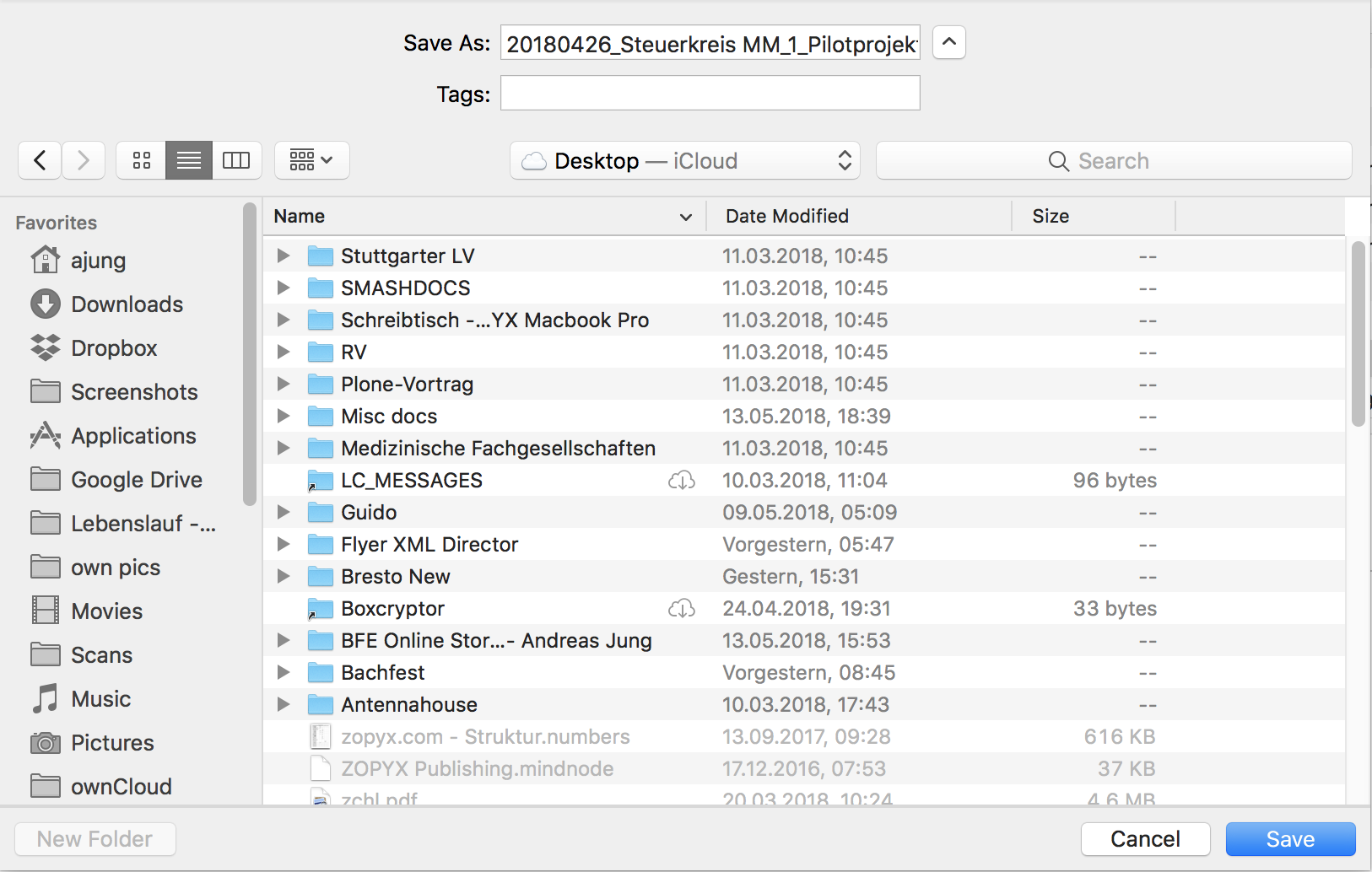
"new folder" unavailable for iCloud desktop when saving attachments
I am using iCloud and my desktop is stored on iCloud.
The "new folder" button in the save dialog when trying to save
attachments is unavailble.
...but only for the Mailmate app.."new folder" is available within
the desktop root folder for all other applications. The only
difference that I see is that all other application are localized
to German while Mailmate is available in English only...not sure if
this is a real reason.

-
 benny
bennySorry about the late response. MailMate uses a standard GUI component by Apple to show this panel, so I was a bit confused on this issue until I thought about the iCloud aspect of it. I don't think localization plays a role (unless it's a weird Apple bug of some sort), but maybe MailMate doesn't have the “permissions” needed to do this. The other applications might be Apple applications or App Store applications. Do you see it working for any third party non-App Store applications? That would be a sign that there is some way to make it work.
I assume saving to an existing iCloud folder does work? (It's a bit strange if MailMate doesn't have permission to create folders, but it still allowed to use the folders...)
-
Andreas Jung
Other non-App-store apps can create folders in the root of the desktop.
-
benny
- State changed from new to cantreproduce
I finally got around to cleaning up my desktop such that I could enable iCloud synchronization of Desktop/Documents, but I couldn't reproduce this issue. This was on macOS 10.13.5. I'm going to leave the issue for now, but I'll keep an eye out for other reports and see if I can spot some kind of pattern.
Please Sign in or create a free account to add a new ticket.
With your very own profile, you can contribute to projects, track your activity, watch tickets, receive and update tickets through your email and much more.