Not All Threads are Shown

-
 benny
benny- State changed from new to closed
Yes, there is a way to reindex, but that won't help.
The “Organize by Thread” menu means that MailMate shows any parent-child relationship of messages in the current mailbox. I'm guessing that both messages are not in currently displayed mailbox.
It is a frequent request (#575, #548 Inconsistent Sort Order) to offer more flexibility in this area of MailMate.
You can re-open this ticket if you think MailMate does not correctly identify a parent-child relationship.
-
Steve Rogers
Thanks-let me first just say that I love MailMate and know I need to learn more about it.
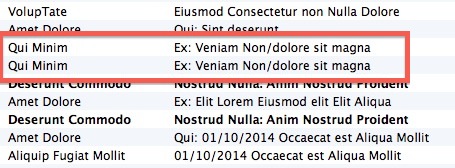
However, as you can see from the screen grab, I have two different emails in the same mailbox, from the same sender, same subject, etc., but they are shown as separate emails rather than connected as a thread in this layout view (i.e., together with a drop down arrow). I have the correct setting checked in the View menu. When I click the Thread button, though, they do show up in the same thread. Just trying to understand thread views as they are an important part of our workflow.
PS Distortion mode was a great idea!
-
 snapz678.jpg
45.1 KB
snapz678.jpg
45.1 KB
-
-
benny
These messages are siblings and not parent-child. This is why they are not shown together. When I implement a threading mode which groups these messages then I'll also have the interesting problem of deciding what their non-existing “parent” should be (it's not an unsolvable problem, but it's not obvious what the best solution is).
Please Sign in or create a free account to add a new ticket.
With your very own profile, you can contribute to projects, track your activity, watch tickets, receive and update tickets through your email and much more.