MailMate and Filemaker Pro

-
 benny
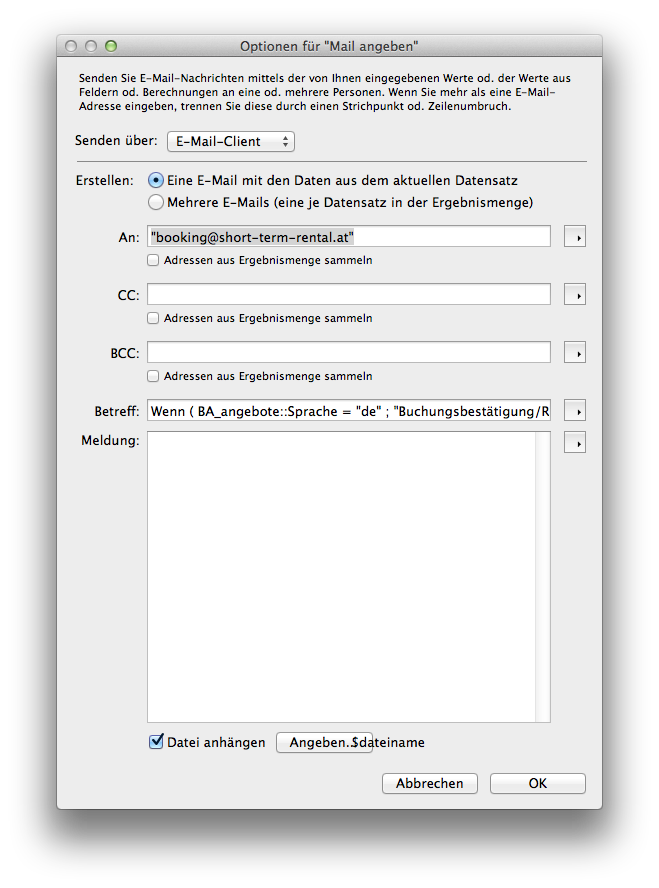
bennyI believe you forgot to attach the dialog. I don't have Filemaker which makes it difficult to analyze the problem.
Some applications are hardcoded to use Apple Mail, but since you can find a setting to change the email client then that does not seem to be the case for Filemaker...
-
Ingo Lantschner
Ups, sorry, I'll attach it here. Unfortunately it is not very helpful, if you do not have FM for testing.
I'll open a ticket at Filemaker regarding this issue, and will report here, when I have some results/ideas.
-
 fm-dialog.png
106 KB
fm-dialog.png
106 KB
-
-
Scott Rose
I really loved MailMate until I realized that there is absolutely ZERO WAY for FileMaker Pro to communicate with Mailmate when you need to send an email with an attachment. For sending a plain email with no attachments, you could use FileMaker's Open URL command with the "mailto:" syntax. But once you need to send an attachment, MailMate is unable to accommodate FileMaker users. If MailMate had full AppleScript support for composing a message with attachments, you could AppleScript a solution in FileMaker, but alas, MailMate doesn't offer that either. So unfortunately, MailMate is not a solution for any business that depends on FileMaker. :(
-
Scott Rose
The only possibly solution that I can think of would be to compose the text of the email entirely in FileMaker, then send the email (with attachment) using FileMaker's "Send Via SMTP Server" command. The email would eventually show up in Mailmate's "Sent Mail" folder after MailMate synchronized the Sent Mail folder to the IMAP server.
-
benny
@Scott: With MailMate, it is possible to use the
mailto:scheme via AppleScript to also attach files (but only via AppleScript). I have other examples of how to do that with other applications, but I don't have FileMaker. In other words, if AppleScript is all that is need then it is possible with MailMate.Some documentation and examples are available here. Let me know if there is something I can help with.
-
Ingo Lantschner
I am still discussing that with Filemaker Support. At the moment I am explaining them what I mean if I am asking for an API, ...
Please Sign in or create a free account to add a new ticket.
With your very own profile, you can contribute to projects, track your activity, watch tickets, receive and update tickets through your email and much more.