Force MailMate to use TLS 1.2 instead of SSL v3
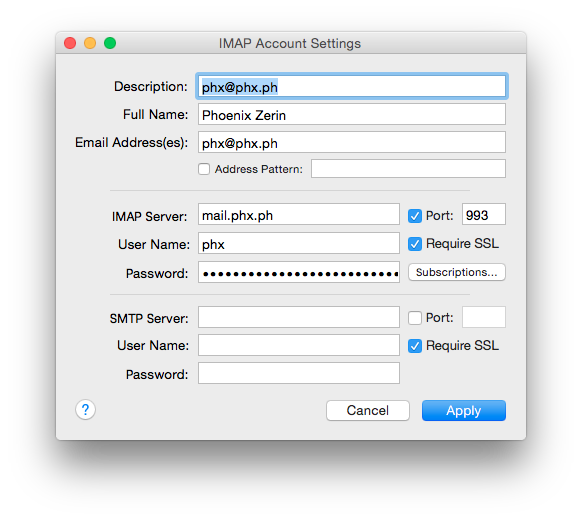
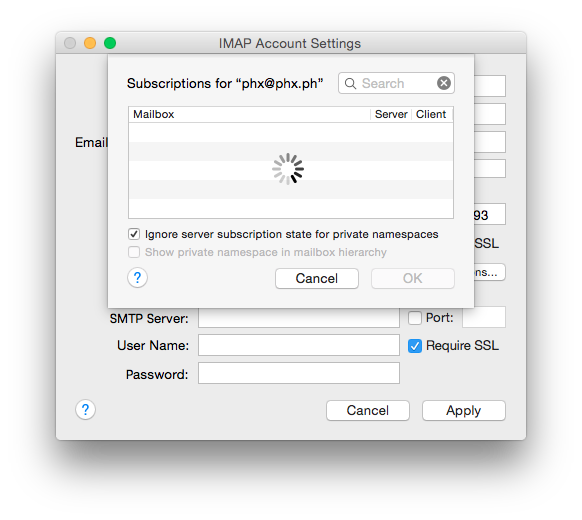
I'm trying to get MailMate to connect to a mailhost that I set up, but it is unable to connect. I'm unable to find any output that indicates a problem until I click on the "Subscriptions" button in my IMAP account configuration (see attachments).
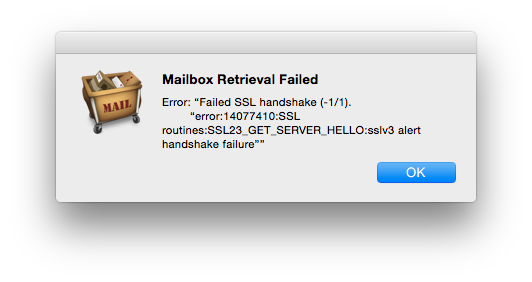
The error message is:
Error: “Failed SSL handshake (-1/1). “error:14077410:SSL routines:SSL23_GET_SERVER_HELLO:sslv3 alert handshake failure””
I'm assuming that this error means that MailMate is trying to connect to my mailserver using SSL v3. However, this server has disabled SSL v3 to prevent the POODLE vulnerability.
You can verify that SSL v3 is disabled and that TLS 1.2 works by running the following commands:
openssl s_client -ssl3 -connect
mail.phx.ph:993
openssl s_client -tls1_2 -connect mail.phx.ph:993
MailMate is trying to connect to this server on port 993.
I have control over the server, so I can make any changes and/or provide any debugging info on the server side as well.
I'm not sure if this is the REAL issue that is preventing MailMate from connecting to the mailserver to fetch mail; it's just the one I was able to find an error message for. As noted above, I can't find any error messages when I try to synchronize my account.
-
 Account_Settings.png
66.6 KB
Account_Settings.png
66.6 KB
-
 Subscriptions_View.png
68 KB
Subscriptions_View.png
68 KB
-
 Error_Message.png
45.3 KB
Error_Message.png
45.3 KB

-
 benny
bennyGood question and I'm afraid there is no simple answer. MailMate uses
opensslfor its connections (libssl), but this is unfortunately somewhat deprecated on OS X now. They still make security updates, but it's all based on version 0.9.8 of openssl which does not support TLS 1.2. (This was actually a good thing with the heartbleed bug, but that's a different story.)Currently I don't see any other way for it to work than to enable TLS 1.1 on the server. Are you sure this makes a difference in relation to the POODLE vulnerability? (I don't believe TLS 1.1 is currently considered insecure.)
The only other solutions are that I embed a newer version of
opensslin MailMate or change the entire network stack used by MailMate. I'd prefer the latter, but it's not something I can promise to do soon. -
Ω ★
Is it possible to expose a setting (possibly via
defaults
write
if you would like to avoid cluttering the Settings UI) to specify a custom location for OpenSSL? I have it installed via homebrew to a much newer version than the one provided by OS X. This might be a sufficient temporary solutions until you're able to switch to SecureTransport. -
benny
- State changed from new to accepted
@Ω ★: No, that is not possible. MailMate doesn't use the
opensslcommand line program, but thelibsslandlibcryptolibraries.Note that the Apple versions may have older version numbers, but they are not necessarily less secure than later releases since they have been regularly patched by Apple. (But they do have fewer features.)
I'll put this ticket in the “accepted” state as a request for updating MailMate to use Apple frameworks instead of
openssl. -
benny
- State changed from accepted to fixcommitted
MailMate now uses CFNetwork which should resolve this issue (not released yet).
-
Please Sign in or create a free account to add a new ticket.
With your very own profile, you can contribute to projects, track your activity, watch tickets, receive and update tickets through your email and much more.