Troubleshooting: Why can't I apply rules?
I created a Smart Mailbox that I want to use to run rules with. It collects email from two other mailboxes and has a couple of conditions + the rules:
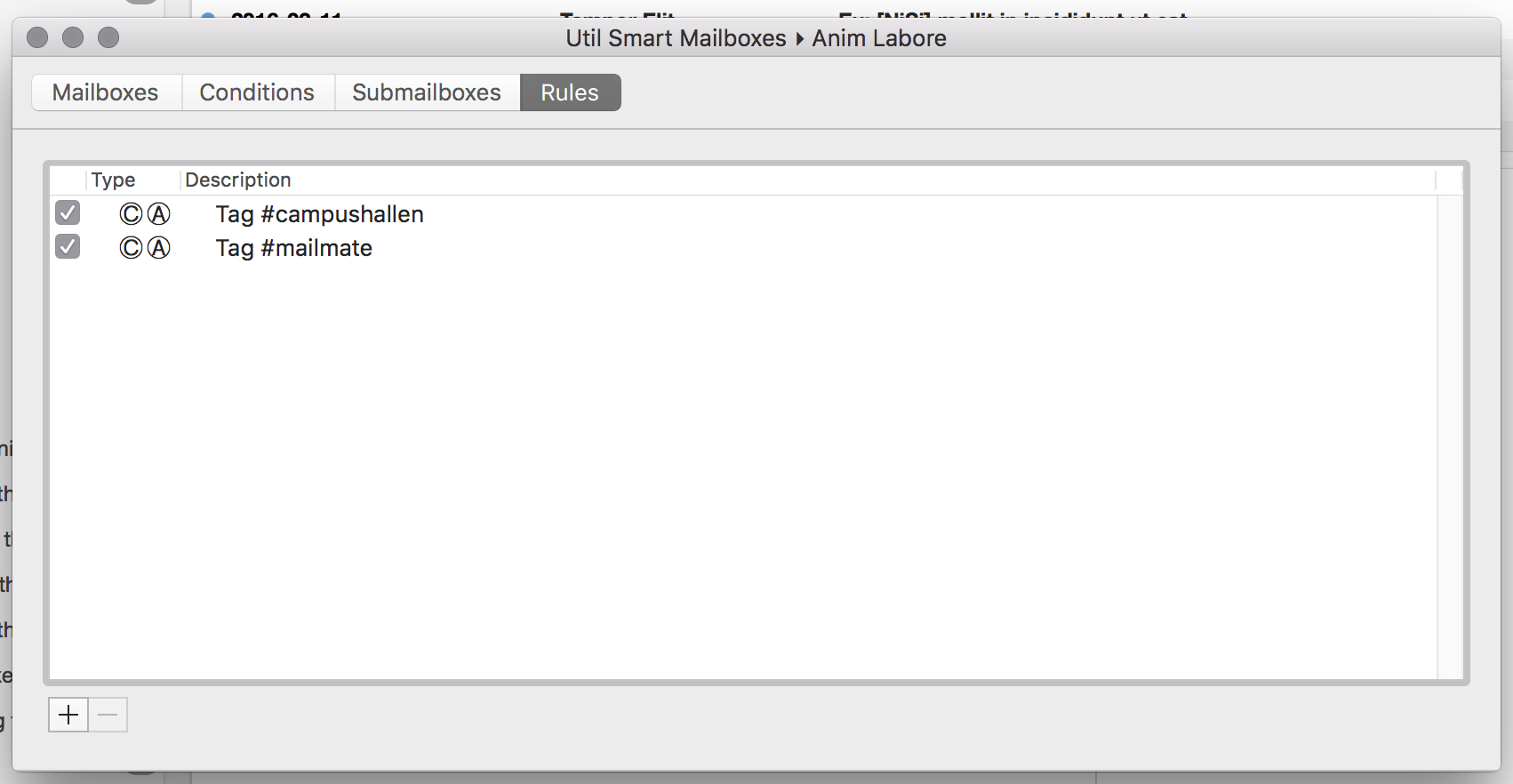
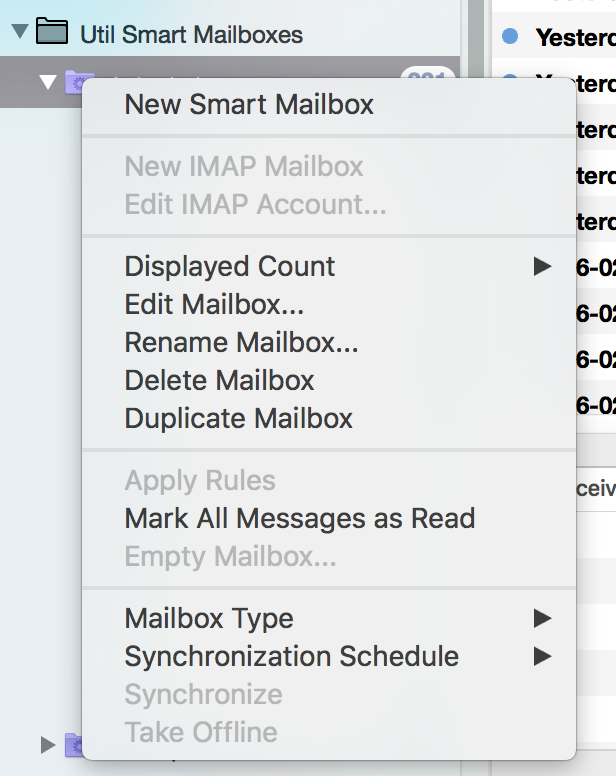
When I right click on the Smart Mailbox, I the "Apply Rules" option is grayed out. Why?

-
 benny
benny- State changed from new to accepted
Currently it only works on the currently selected messages. I guess, if nothing is selected, the menu item could change name to “Apply Rules to "Mailbox Name"”.
-
fnurl
Ah, ok, I thought it was supposed to apply the rules to all messages in the folder. Is that not what the rules do if I do not apply them manually?
-
benny
Rules are only applied to “new” messages in the mailbox. In this context “new” does not mean delivery (e.g., to the INBOX). It just means that a message is added to a mailbox which is was not previously part of. This could happen by moving a message or tagging it (if some smart mailbox with rules includes the tagged emails).
-
benny
(In some cases more persistent rules would be useful, in particular when based on dates. That's on my todo, but I haven't done any work on it yet.)
-
fnurl
Thanks for the clarification Benny. I have one more question though. Do I have to visit/view the Smart Mailbox with the rule after a change has been made that would mean it getting "new" messages? Or are smart mailboxes "viewed" in the background at regular intervals?
-
benny
Not just at random intervals: Smart mailboxes are always up-to-date. In fact, there is no difference (internally) between a smart mailbox and an IMAP mailbox. The latter is just a smart mailbox only matching emails with a specific IMAP path.
-
Muescha
but how i can create rules like "empty folder 'Deleted Messages' older than 6 Months"
i just created a Mailbox and apply condition "older 6 months" and a rule. but i can not click the folder and execute a rule. -
benny
@Muescha: To manually trigger the rule then you also need to select all of the emails in the mailbox.
To do it automatically, you need to create a separate smart mailbox which only shows messages older than 6 months. This mailbox can then have a rule without any conditions and just the “Delete Permanently” rule action.
The reason a separate mailbox is (still) needed is because rules are only checked when a message “enters” a mailbox. If it wasn't more then 6 months old at that time then it won't execute the rule action even if the condition is fulfilled later on. The separate smart mailbox works around this.
-
Muescha
1) To manually trigger the rule then you also need to select all of the emails in the mailbox.
i expected, when i do the right click at the mailbox then the rules are automatic for ALL emails in this folder (without selecting).
2) i mean i already have done it as a smart mailbox - that means when when a mail first time fulfill the "older than 6 month" the email "enter" the smart mailbox and rules apply?
-
benny
- State changed from accepted to fixcommitted
The “Apply Rules” menu item has now been changed such that it has two subitems. One for applying to the entire mailbox and one for applying to selected messages only. There is also an “Edit Rules” menu item which opens the smart mailbox editor and switches to the Rules pane.
-
Please Sign in or create a free account to add a new ticket.
With your very own profile, you can contribute to projects, track your activity, watch tickets, receive and update tickets through your email and much more.