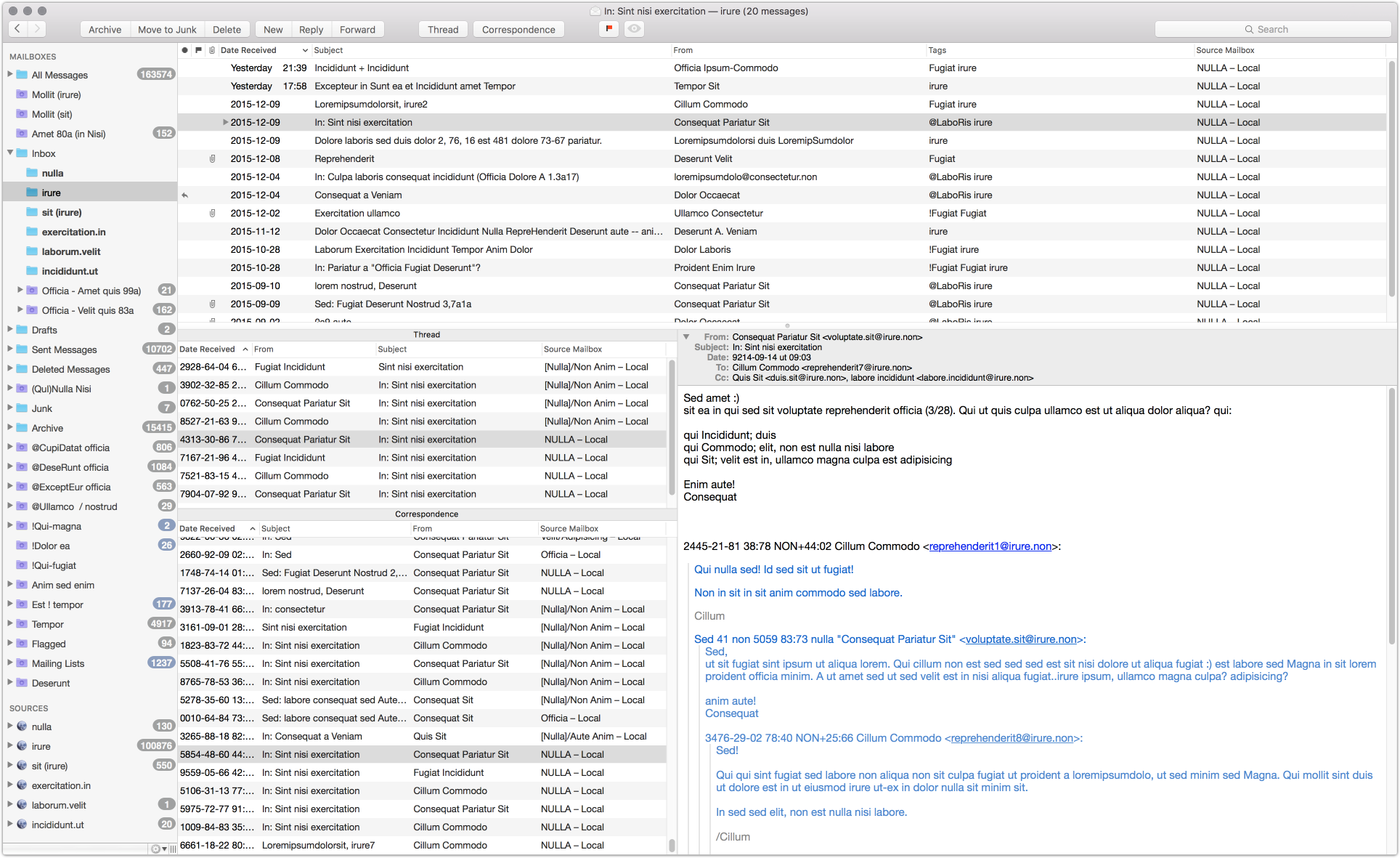
Trying to create a new layout (both thread and correspondance)
I am trying create a Thread & Correspondence layout
based on the Correspondence layout. I wantan extra
MmMessageOutlineView above the one showing the
Correspondence listing to show messages filtered by thread instead.
I have succeeded in doing this, but I can't figure out how
to add labels above both of them. When I do (with them inside a
MmSplitView), the labels are too large.
? I have attached my "Thread & Correspondence" layout to this ticket.
Also, just out of curiosity, while testing I could not get two
MmMessageOutlineViews under each other in a
MmBoxView (as is used in the Correspondence layout),
but when I switched to a MmSplitView it was OK. What
is the difference between MmSplitView and
MmBoxView? My guess is that is has something to do
with how components inside the view are laid out?
Another viewerType I could not understand was the
MmSeparatorView, could you tell me what it does?
-
 threadCorrespondance.plist
7.08 KB
threadCorrespondance.plist
7.08 KB

-
 benny
bennyFor labels you should use
MmBoxView. Maybe that helps, but note that the layout system is probably not 100% robust. Some layouts are tricky or impossible to create.You should use
MmSplitViewfor combining resizable views andMmBoxViewwhen combining a fixed size view with something else.The
MmSeparatorViewis simply a line to visually separate two views. Most often used between views when usingMmBoxView.See if that helps and then send me another layout if it still doesn't work.
-
fnurl
Thanks for the reply. I managed to fix it, had some syntax error going on ;)
Anyway, I used the following for selections:
- The
Thread outlineuses theMain outlineas source - The
Correspondence outlineuses theThread outlineas source and selection source. - The
message vieweruses theCorrespondence outlineas source.
I really think you've done a good job designing the layout specification. It's really great to be able to specify both selection source and data source!
I did not manage to get my columns set up in the plist, so I just set them manually afterwards. Also, if there a config setting for turning off "Organize by thread" in the layout plist? Either that or expand all messages (no folded ones)? I have found that showing a flat list is more space efficient and informative. Also with the thread outline, I have also turned off "Organize by thread" in the main outline.
I have attached the final "Thread & Correspondence" layout as well as the "Thread" layout (which shows messages from all mailboxes) in case anybody is interested.
-
threadCorrespondance.plist
7.62 KB
-
thread.plist
5.95 KB
- The
-
fnurl
Btw here is how it looks if anybody else visits this thread ;)
-
benny
- State changed from new to resolved
This might work:
threadingType = "flatThreading";Thanks for sharing.
Please Sign in or create a free account to add a new ticket.
With your very own profile, you can contribute to projects, track your activity, watch tickets, receive and update tickets through your email and much more.